Collaboration Tool - LinkedIn

Stop managing
content via email.

Create, review, and approve content with your clients and employees directly from the editor. No copying text, no misunderstandings, no endless rounds of revisions.

in
Integrated with LinkedIn
AI
AI-powered
THE PROBLEM
How feedback used to be managed
You copy the fragment, paste it into Slack or email, and explain what part you're referring to. Nobody understands anything.
The client reviews outside the tool. Changes arrive via scattered messages across three different channels.
Revision rounds turn into negotiations. Content gets stuck. Time is lost.
You access the client's passwords to publish. An unnecessary risk for everyone.
WITH MAGNETTU
Feedback happens within the editor
You select the exact fragment and leave your comment anchored there. No interpretations.
The client proposes changes directly in suggestion mode. You accept or reject with one click.
The entire revision history remains visible in one place, linked to the post.
Manage LinkedIn profiles without touching passwords. Secure and professional.
EDITOR MODE

Feedback anchored to the text. Not to thin air.

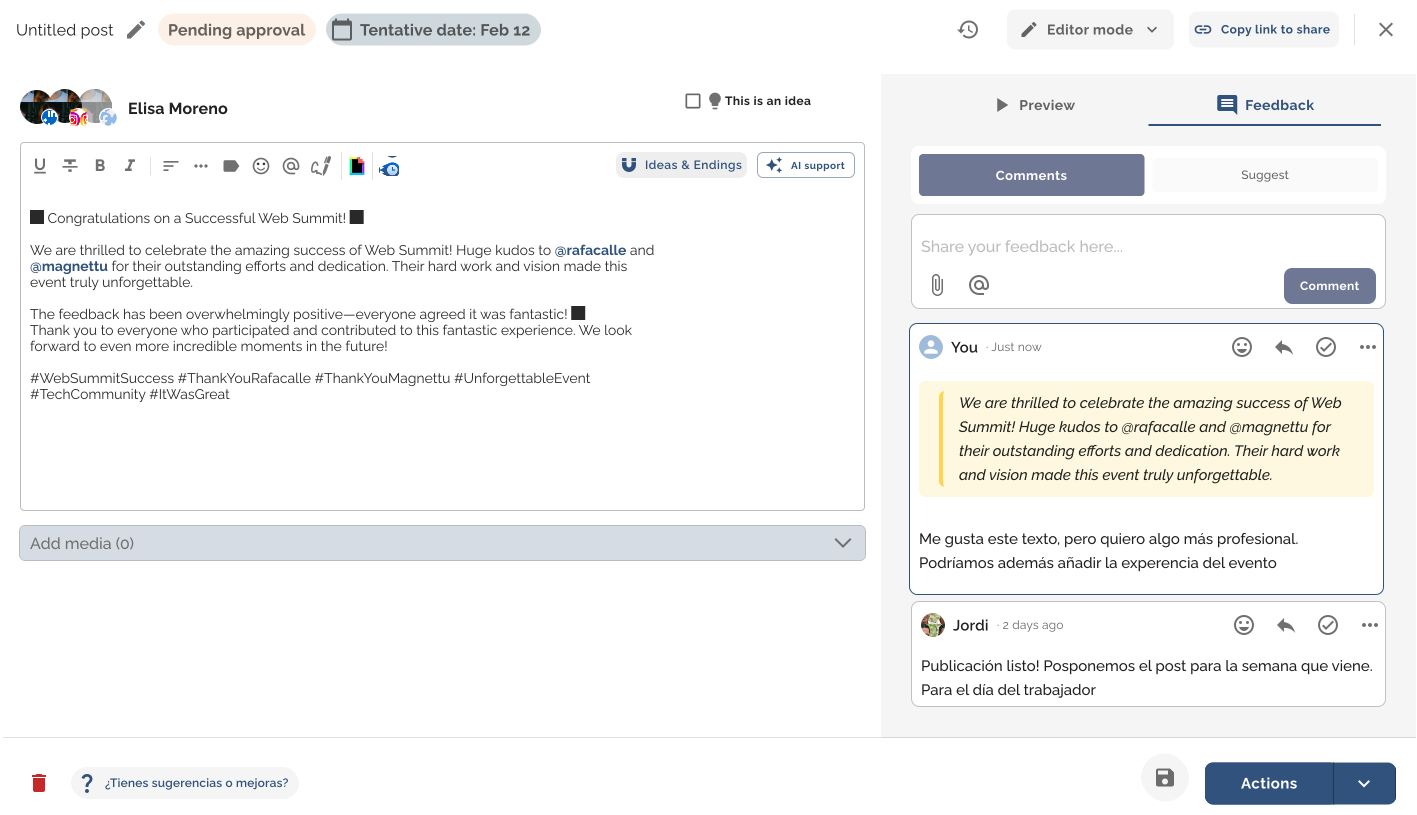
Select any part of the draft — a word, a phrase, a paragraph — and leave your comment right there. Without leaving the editor, without copying anything, without leaving anything open to interpretation.

General comments or comments anchored to specific parts of the post
Reply within the thread to maintain conversation context
Mark comments as resolved once addressed
The entire history remains visible to any collaborator on the post
"Feedback existed, but it lived disconnected from the text. With magnettu, it lives exactly where it should."
SUGGESTION MODE

Edit the text. The author decides.

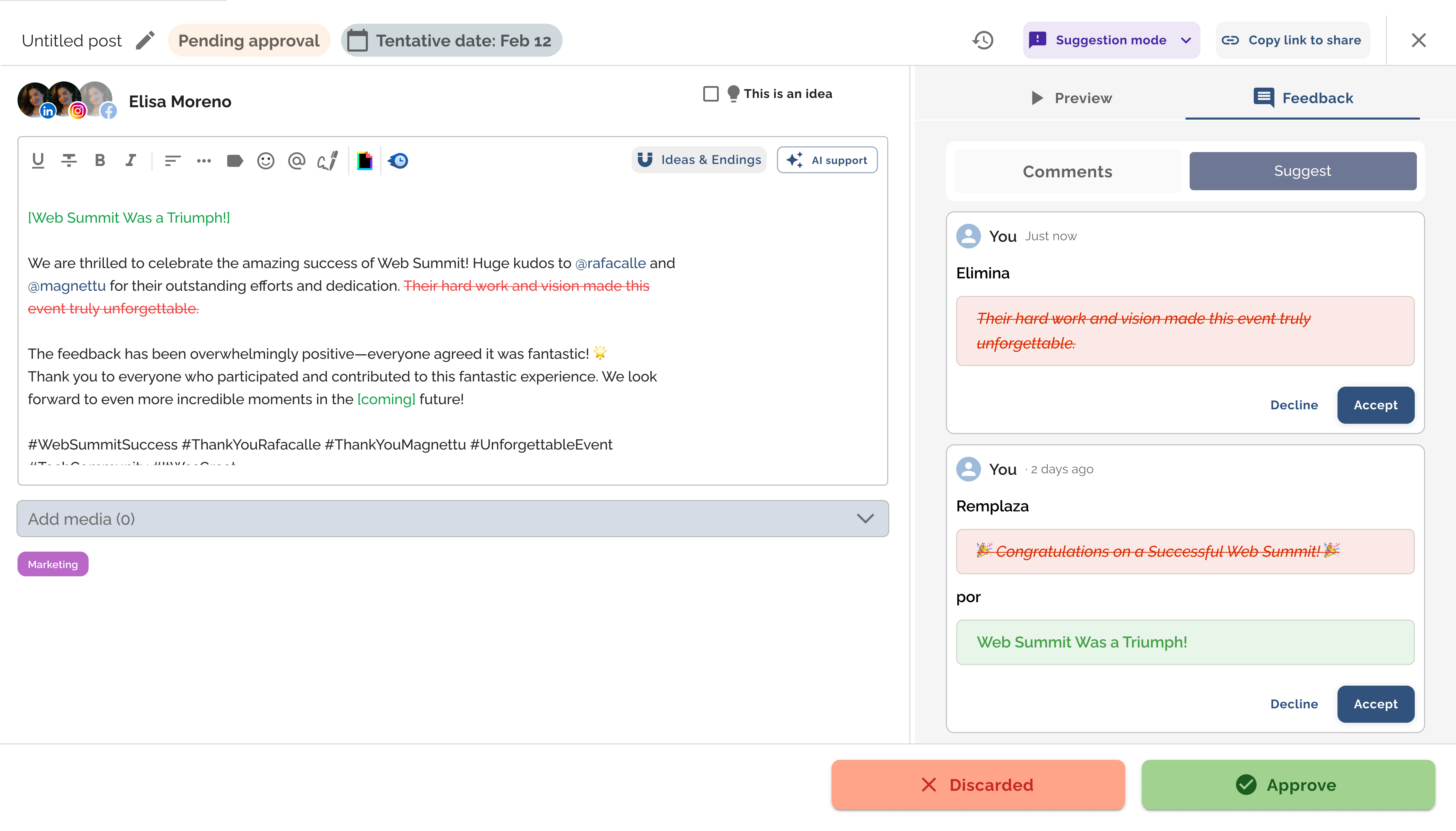
Like Google Docs, but designed for LinkedIn. Enter suggestion mode, edit the text directly, and the system marks what you add in green and what you delete in red.

The recipient reviews the suggestions one by one and decides: accept or reject. No meeting, no additional explanation, no misunderstandings.
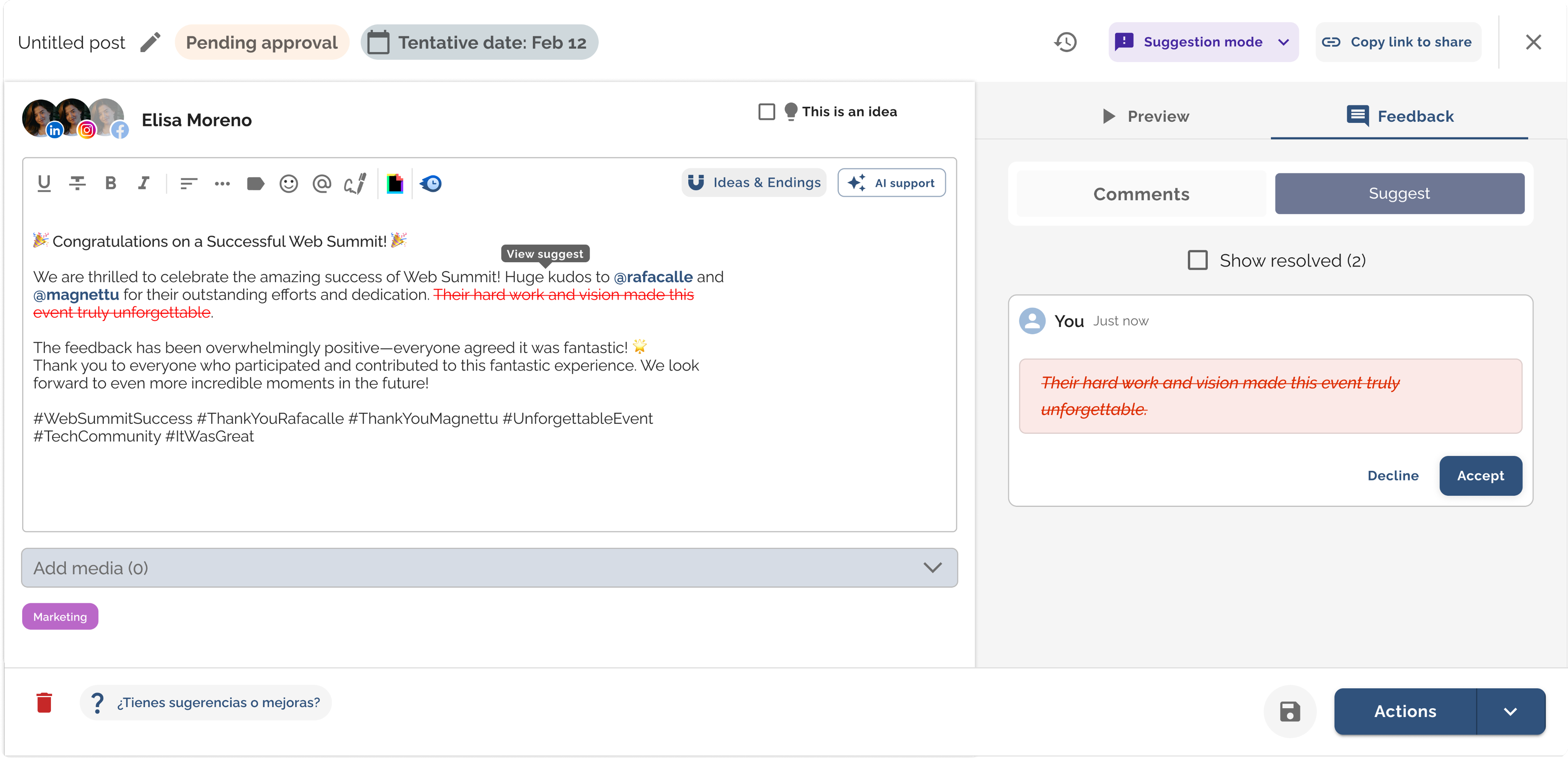
Propose specific changes to the draft text.
The author accepts or rejects each suggestion individually.
Green = added text · Red = deleted text
Zero friction, zero ambiguity in every review round.
MODO SUGERENCIA

Edita el texto. El autor decide.

Como en Google Docs, pero pensado para LinkedIn. Entra en modo sugerencia, edita el texto directamente y el sistema marca en verde lo que añades y en rojo lo que eliminas.

Quien recibe las sugerencias las revisa una a una y decide: acepta o rechaza. Sin reunión, sin explicación adicional, sin malentendidos.

Propón cambios concretos sobre el texto del borrador
El autor acepta o rechaza cada sugerencia individualmente
Verde = texto añadido · Rojo = texto eliminado
Cero fricción, cero ambigüedad en cada ronda de revisión
USE CASES

Who works best with this?

Contextual feedback transforms the workflow of any team where someone reviews before publishing.

Content agencies

Your client enters the editor, comments, or proposes changes directly. It stops being an external step in the process and becomes part of it.

Marketing teams

Manage posts for multiple profiles from a single place. Revisions are precise: the author knows what to change, why, and where.

LinkedIn Training

Comment directly on the student's text, highlighting what works and what doesn't. Learning becomes concrete and actionable.

Any team with an approver

If there's a director, client, or colleague who approves before publishing, that step now has a clear place within the tool.

WHAT'S INCLUDED

More collaboration tools

Collaboration goes beyond feedback. Magnettu covers the entire workflow, from connecting profiles to publishing and measuring.
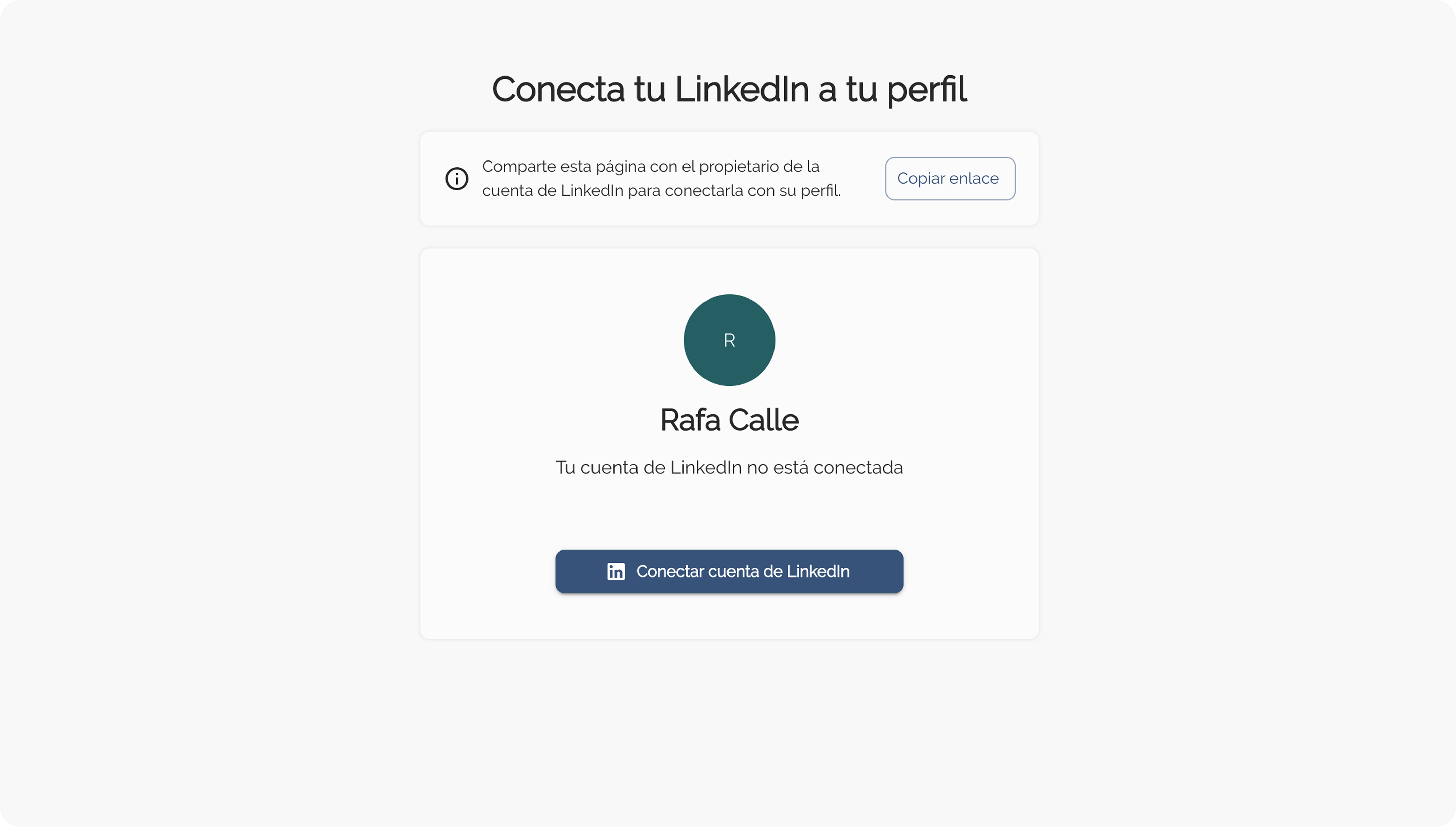
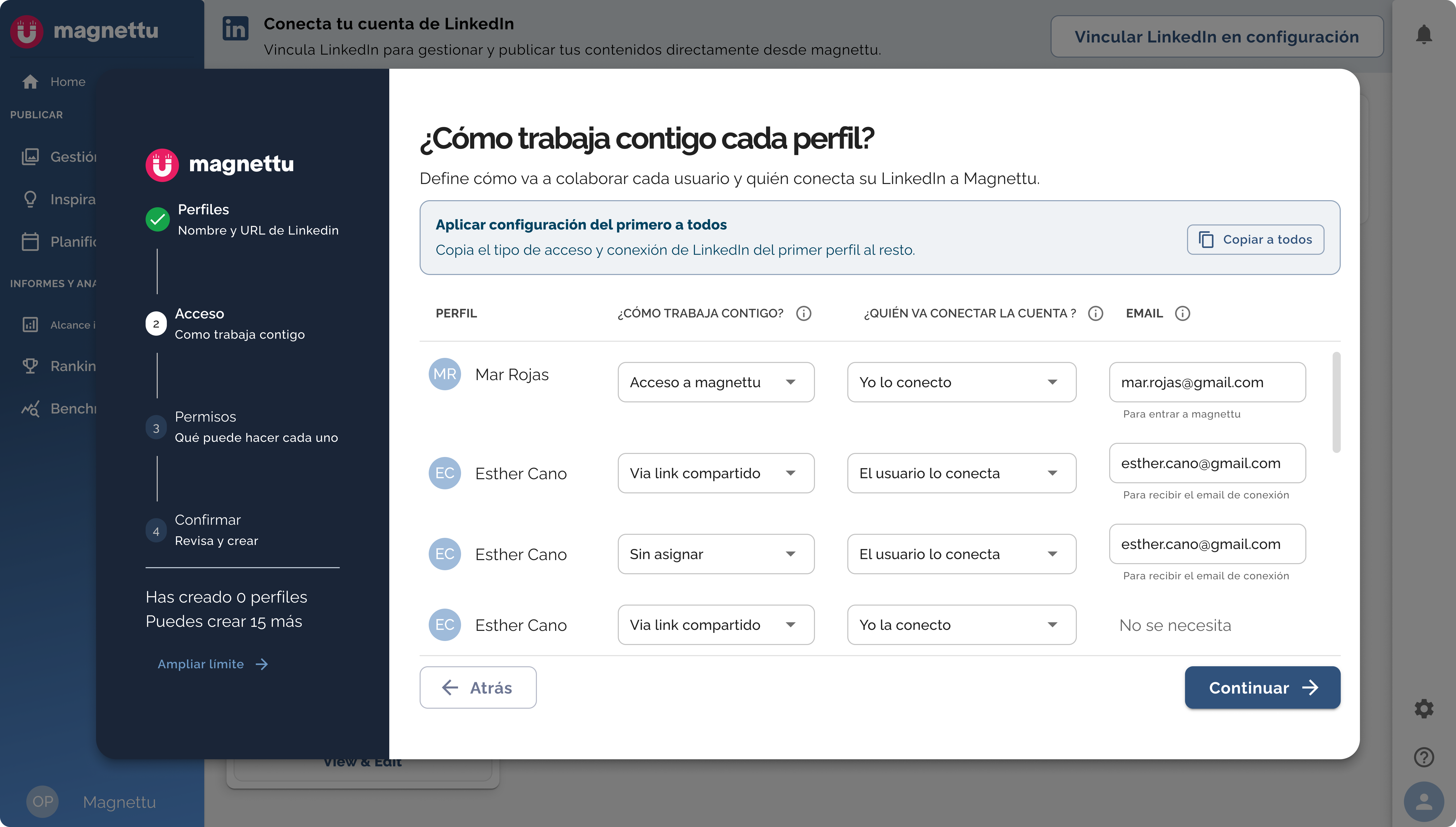
Connect without passwords
Manage client and employee LinkedIn profiles without accessing their credentials. Secure, professional, and GDPR compliant.
Add collaborators
Invite your team to manage personal brands for employees or clients. Access control by profile.
Approval by link
Share a draft link, and the client approves the content without needing to create an account. Zero friction.
Unified Dashboard
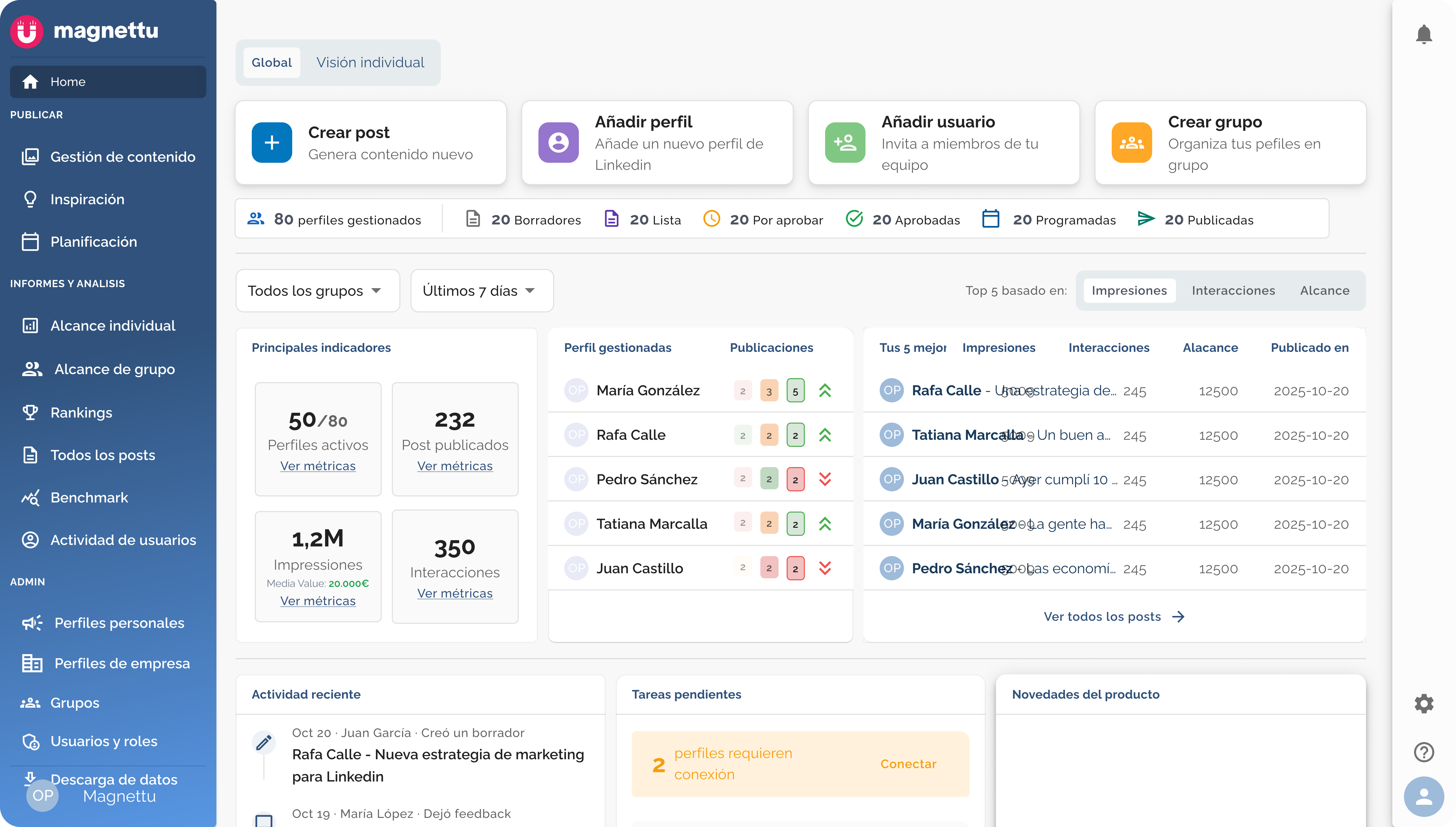
Manage numerous personal brands from a single location. Monitor the status of each post: draft, review, approved, or published.
Share content ideas
Propose topics and ideas to your clients or employees before creating the post. Align the strategy from the very beginning.
Planning and Publishing
Plan your entire editorial calendar and publish directly to LinkedIn. Approved content never gets stuck.
THE IMPACT

How does it change your daily routine?

+3x

More personal brands managed with the same team

80%

Less time spent coordinating reviews and approvals

0

Posts stuck in endless review rounds

100%

Of the approval process within a single tool

READY TO TRY?

The collaboration you always wanted.
Inside the editor.

7 days free, no credit card required. Your client and employee content starts moving from day one.